Scaled Output to 250+ Daily Images and Reduced Turnaround by 35% with End-to-End Image Retouching
Client
The Client

High-Growth Fashion-Tech Startup Powering Virtual Try-On Platform

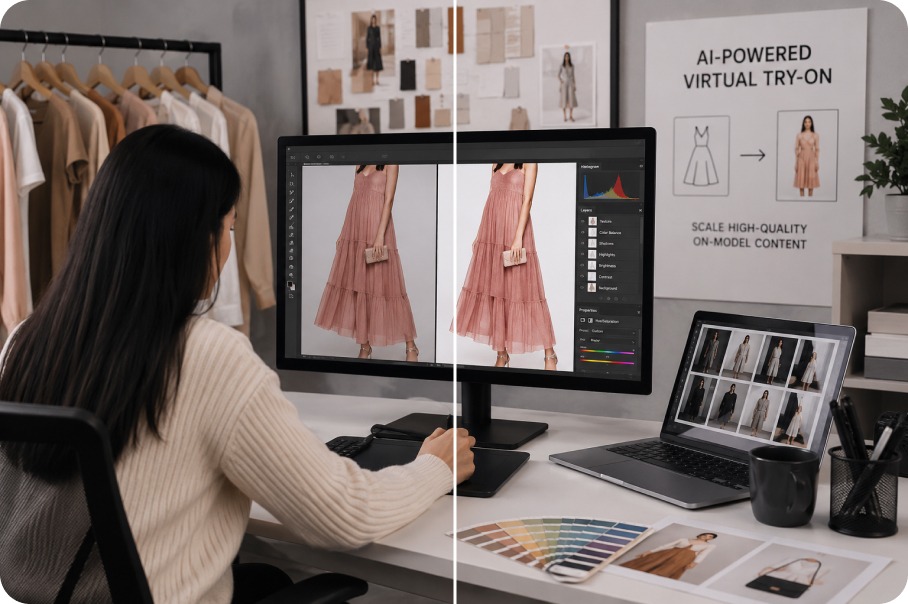
Our client is a fashion-tech startup specializing in AI-driven virtual try-on (VTO) solutions for eCommerce. Their platform generates high-quality, on-model content from a single product image, replacing the need for conventional studio shoots. Using this technology, fashion brands reduce content production costs by up to 85% while scaling time-to-market and high-volume catalog output.

Project Requirements

High-End Image Retouching for Apparel, Models, and Accessory SKUs

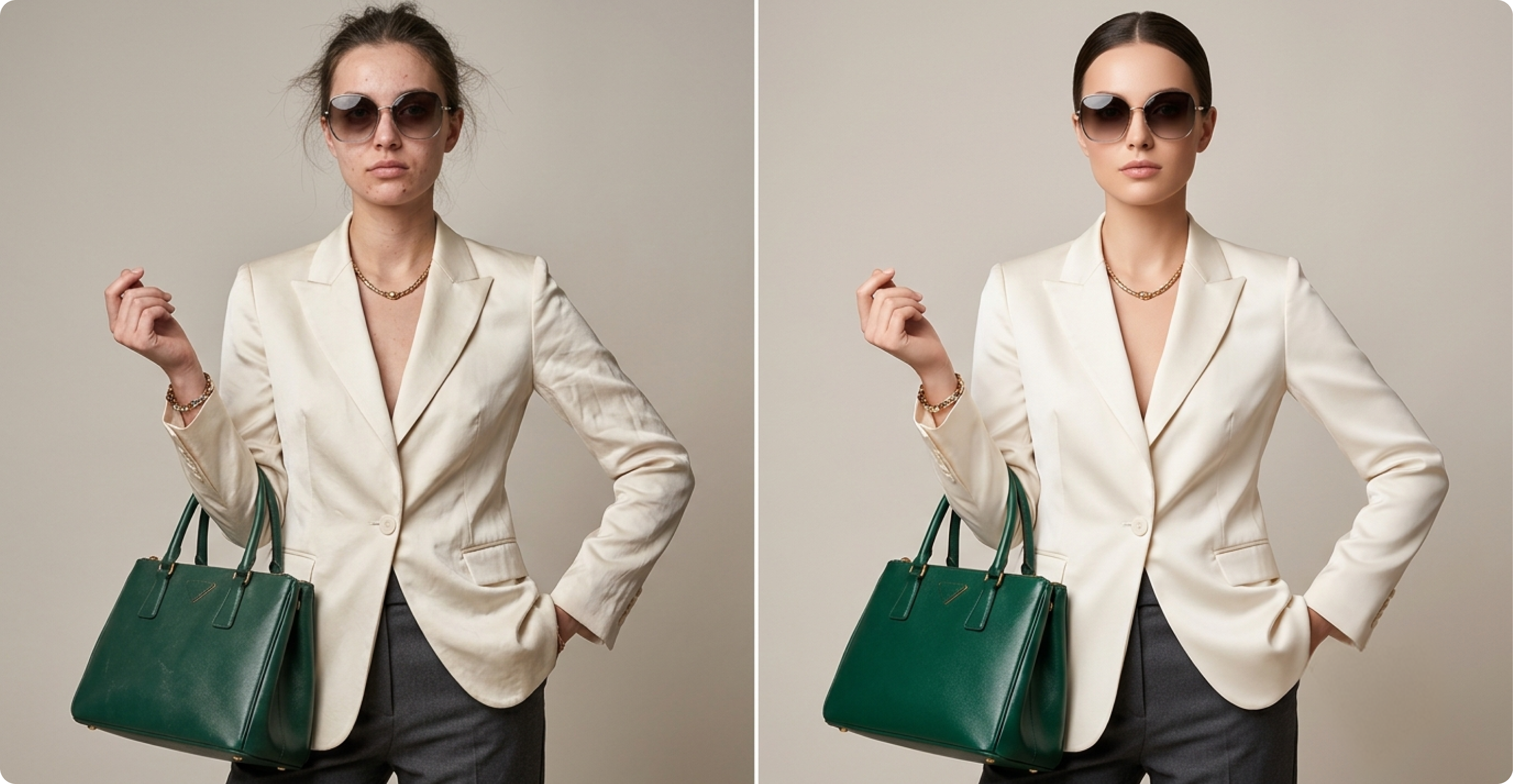
The project brief covered the full spectrum of retouching work required to convert AI-generated virtual try-on output into brand-ready catalog imagery. Each image had to reflect the real product, with fit, texture, accessories, and model presentation held steady across the catalog.

The scope pulled in outerwear, topwear, bottomwear, footwear, and jewelry — every category governed by its own editing standards. Across every model iteration, the primary objective was to eliminate AI hallucinations and preserve product fidelity.

    • Visual Integrity: Reproduce color, logos, buttons, fabric prints, neckline, sleeve length, hem, and construction detail exactly as shown in the product reference.
    • Edge & Boundary Refinement: Finish clothing edges naturally against the body, leaving no trace of digital layering along garment outlines.
    • Model Appearance Correction: Correct AI-introduced distortions in hands, fingers, and skin, and keep body proportions uniform across every SKU.
    • Cross-Image Model Standardization: Hold the same model identical across the catalog — body proportions, skin tone, and hair color all steady throughout.
    • Accessory Integration: Pull the correct earring SKU from the reference library for each model, and apply the same size-proportion-placement discipline to handbags and other accessories.
    • Lighting & Shadow Consistency: Keep light direction, intensity, and shadow behavior consistent image to image within any given product set.
    • Footwear Retouching: Adjust color, shine, and strap detail per shoe type, and reshape heel proportions specifically for Etsy and Cosmo footwear.
    • File Output & Naming: Deliver all final images as 2500 × 2000 px JPGs, with category-specific naming for outerwear, topwear, bottomwear, and accessories.
PROJECT REQUIREMENTS
Project Challenges

Maintaining Visual Integrity and Catalog Consistency in High-Volume AI Outputs

Although the source visuals were AI-generated, the final outputs had to perform as brand-ready catalog assets. The central challenge was holding product-level precision, visual consistency, and brand standards across every image. Each requirement touched multiple points in the workflow, from editor execution to QC sign-off.

AI outputs lacked product-level accuracy

AI outputs misplaced logos, erased pleats, and flattened fabric prints at close crops. Every defect pushed an editor back to the product reference for a ground-up rebuild.

Correcting AI distortions without losing realism

AI-generated artifacts at the garment-model interface — phantom seams, skin merging into fabric edges, and distorted finger geometry. Fixing one without disturbing the surrounding lighting, grain, or texture took deliberate care.

Consistency across multiple visual variables

The same model often recurred dozens of times across a catalog, but AI quietly shifted skin tone, height, and hair between iterations. Left uncorrected, the drift surfaced at the batch level, undermining catalog cohesion.

Volume fluctuations added turnaround pressure

Daily intake routinely spiked to 250 images, and SKU-specific rules still governed each and every one. Peak days tripled volume overnight, yet accuracy could not slip for a single image.

OUR SOLUTION

Human-Led Refinement That Turned AI Outputs into Catalog-Ready Fashion Imagery

The solution was a structured seven-stage editorial pipeline, staffed by five product photo editing experts and a dedicated QC layer. Each stage addressed a specific failure mode in AI-generated fashion imagery — product drift, edge artifacts, lighting variation, accessory misfit, or model inconsistency. The pipeline handled high volume without compromising accuracy.

SKU-Level

SKU-Level Editing References

Each SKU was mapped to its retouching instructions before editing began, giving editors a reference point for every decision.

    • Cross-checked every SKU against its earring reference, footwear notes, and fit instructions.
    • Mapped crop requirements and category-specific naming conventions upfront.
    • Added a pre-production documentation review to reduce SKU mix-ups during high-volume workflows.
Image Matching

Reference Image Matching and Visual Correction

Each AI-generated image was reviewed alongside the product reference to correct every visible deviation.

    • Corrected garment color drift to match the tonal values of the source product.
    • Rebuilt fabric patterns, textures, and surface details lost during AI generation.
    • Restored logos, labels, and prints to correct shape, size, and placement.
    • Corrected construction details — buttons, pockets, pleats, zippers, necklines, seams — against the reference.
Garment Edge Refinement

Garment Edge Refinement and Blending

Editors manually refined clothing boundaries so garments followed natural fabric flow and blended cleanly with the model's body.

    • Refined garment edges to reflect natural drape and realistic contact between clothing and skin.
    • Corrected shadow transitions along garment boundaries to match lighting direction.
    • Improved blending so the final output looked naturally worn, not digitally placed.
Lighting

Lighting, Shadow, and Color Consistency

AI-generated images in the same batch often varied in lighting, shadow, and color temperature. These were standardized so every output followed the same visual style.

    • Aligned shadow direction and intensity consistently across each batch.
    • Corrected color temperature and balanced exposure on model and garment.
    • Standardized visual tone across the full image set.
Jewelry Placement

Jewelry Placement and Styling Alignment

Accessories and detail work needed manual refinement after AI produced the base on-model image.

    • Cross-checked SKUs against the master earring reference, selected the assigned asset, and placed it on the model.
    • Matched accessory combinations and footwear colors for consistency across each product grouping.
    • Enhanced beading, embroidery, lace, and specialty fabrics to keep embellishments clear at commercial sizes.
    • Retained or removed shine based on shoe material — leather, matte, patent, and fabric are treated differently.
    • Manually corrected heel proportions for Etsy and Cosmo footwear.
Model Appearance

Model Appearance Consistency and Skin Tone Correction

Minor AI-generated model inconsistencies could make the catalog look uneven, so the appearance was standardized across all image sets.

    • Matched and corrected skin tone, including localized discoloration and uneven AI rendering.
    • Standardized body proportions, height, and silhouette across repeated model appearances.
    • Verified hair color consistency across every image featuring the same model.
    • Retouched hands, fingers, and nail finish where AI had introduced distortions.
Final Crop

Final Crop, Export, and File Preparation

Approved images were prepared in accordance with the client's output specs for direct upload into their catalog workflow.

    • Cropped every approved image to 2500 × 2000 px and exported it in JPG.
    • Applied category-specific naming conventions across outerwear, topwear, bottomwear, and accessories.
    • Verified every file for correct labeling, organization, and delivery readiness.

The Workflow

We connected the client's AI engine to the human-retouching stage with defined handoffs at every step. Every brand, SKU, and model iteration followed the same end-to-end journey from raw upload to catalog-ready visual.

uploading

Fashion brands working with the client begin the process by uploading a flat-lay or packshot of each product into the client's platform.

AI-generated visuals

From the uploaded packshot, the client's proprietary try-on engine renders an on-model visual — fitting the garment onto an AI-generated model.

retouching for product accuracy

Once generated, each AI visual moves into our production pipeline, where editors take it through precision retouching for product accuracy, accessory work, and model consistency.

QC checkpoints

Every image clears our QC checkpoints before we send the finished, brand-ready batch back to the client.

approved imagery

The client then hands off the approved imagery to its fashion-brand customers, ready for deployment across storefronts, catalogs, and marketing channels.

Project Outcomes

Measurable Gains in Approval Rate, Turnaround, and Catalog Throughput

Outcome Detail
98% first-pass approval rate Fewer than 1% of retouched batches required any revision after final QC sign-off.
35% reduction in per-image turnaround Within the first 60 days, SKU-level briefing and distributed QC checkpoints cut per-image turnaround by 35%.
99% product identity accuracy 99% of delivered assets reached the client with correct color, construction detail, and logo fidelity — near-zero identity drift.
250+ images processed per day at peak Peak daily throughput hit 250+ images without extending agreed turnaround windows or compromising output quality.
75% reduction in post-delivery revisions Post-delivery revision requests dropped 75% compared to the client's prior retouching workflow.
22,000+ images delivered in six months The team shipped 22,000+ refined images across outerwear, topwear, bottomwear, footwear, and jewelry in the first six months.
Contact Us

Need Help Move Your AI Fashion Output From Draft to Catalog-Ready?

Let our editors close the gap between your AI-generated visuals and catalog-ready fashion imagery — across product accuracy, model consistency, and category-specific finishing.

Get started with a free sample. Reach out at info@picsmatic.com.

Free Sample